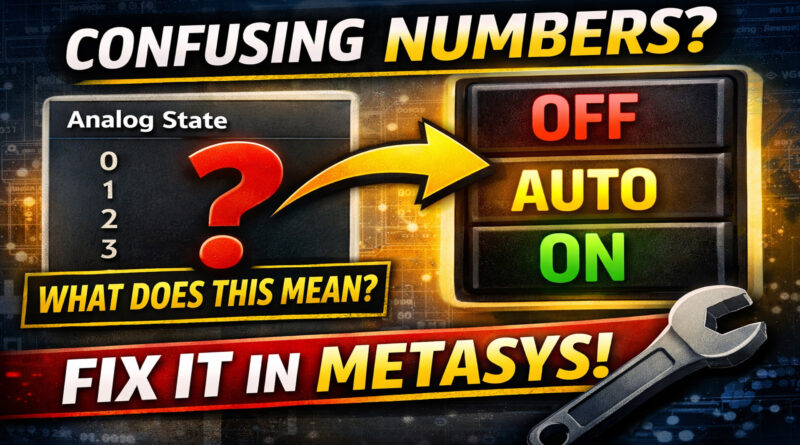
How to Create Custom Enumerations in Metasys MUI (Turn Confusing Numbers into Clear State Text)
If you’ve worked in Johnson Controls Metasys MUI for any amount of time, you’ve seen it:
0
1
2
3
And you’re left thinking…
“What does that actually mean?”
Is 0 = OFF?
Is 1 = HAND?
Is 2 = AUTO?
Is 3 = ALARM?
When analog values are used to represent states, your graphics and point views can quickly become confusing — especially for operators, facility managers, or service techs who didn’t program the system.
The good news? There’s a simple fix.
By setting up custom enumerations in Metasys MUI, you can translate raw numeric values into clean, readable state text like:
- OFF
- AUTO
- ON
- OCCUPIED
- UNOCCUPIED
- ALARM
And it makes your entire BAS interface dramatically easier to understand.
Let’s break it down.
Why Raw Analog State Values Cause Problems
In many BAS integrations — especially when bringing in Modbus or BACnet points — devices send state information as numeric values.
For example:
- 0 = Off
- 1 = On
- 2 = Auto
- 3 = Fault
The controller understands it.
The protocol understands it.
But humans don’t.
Leaving points in numeric form leads to:
- Slower troubleshooting
- Increased training time
- Operator confusion
- Service mistakes
- Poor graphic readability
And if you’re building graphics or dashboards, numbers instead of state text just look unfinished.
What Are Custom Enumerations in Metasys MUI?
Custom enumerations allow you to map numeric values to descriptive state text inside Metasys.
Instead of displaying:
Analog State = 2
You can display:
AUTO
This improves clarity across:
- Equipment dashboards
- Graphics
- Alarm views
- Summary pages
- Point detail views
It’s a small configuration change with a big usability impact.
When Should You Use Enumerations?
You should configure custom state text anytime:
- An analog value represents a discrete state
- A third-party integration sends numeric state values
- You want cleaner graphics
- Operators struggle to interpret point data
- You’re commissioning a new system
- You’re standardizing across multiple sites
In short — if a number represents a condition, label it.
Benefits of Translating Analog Values to State Text
1. Faster Troubleshooting
Techs don’t have to memorize value mappings.
2. Cleaner Graphics
Dashboards look professional and intuitive.
3. Better Operator Experience
Facility staff can immediately understand system status.
4. Reduced Errors
No more guessing whether “1” means ON or HAND.
5. Improved Standardization
State naming can match your company standards across sites.
Best Practices for Metasys Custom Enumerations
If you want to do this professionally, keep these principles in mind:
✔ Keep State Names Consistent
Use standardized labels like:
- OFF / ON
- AUTO
- HAND
- OCC / UNOCC
- NORMAL / ALARM
Avoid mixing terminology across systems.
✔ Confirm Device Mapping First
Always verify what each numeric value represents in the controller or integration documentation before creating enumerations.
✔ Think Like the Operator
Ask:
“If I was a facility manager, would this be obvious?”
If the answer is no, improve the wording.
✔ Clean Up Legacy Points
During service visits or upgrades, update old numeric-only states. It dramatically improves system usability over time.
Real-World Example
Imagine you’re integrating a packaged RTU via Modbus.
The fan status point comes in as:
- 0
- 1
- 2
Without enumeration, operators must reference documentation.
With custom state text applied:
- 0 = OFF
- 1 = ON
- 2 = ALARM
Now your graphics instantly communicate system condition — no guessing required.
That’s the difference between a functional BAS and a professional one.
Why This Matters in Modern Building Automation
Today’s building automation systems are no longer used only by controls contractors. They’re used by:
- Facility managers
- Energy managers
- Maintenance teams
- Corporate oversight staff
If your interface requires tribal knowledge to interpret, it’s not optimized.
Clean state text is a simple way to improve usability without changing hardware or control logic.
Watch the Full Tutorial
In the accompanying video, I walk through:
- How Metasys handles analog state values
- How to configure custom enumerations in MUI
- Where to apply them
- Common mistakes to avoid
- Pro tips for commissioning and service work
If you work in Metasys, BACnet integration, Modbus integration, HVAC controls, or BAS graphics, this is a foundational skill worth mastering.
Final Thoughts
Custom enumerations may seem small — but they dramatically improve clarity, professionalism, and usability in your building automation system.
Stop making operators interpret numbers.
Make your system speak clearly.